Hook More Attention
Use motion alerts that pop at key moments to keep viewers watching instead of tabbing out.
AI-Powered Stream Alert Maker
Build high-impact alert packs with AI motion, branded text, and transparent exports. Works with OBS, Streamlabs, Twitch, YouTube, and Kick. Includes downloadable sound effects. No After Effects. No manual compositing. Just stream-ready alerts that convert viewers into followers.
Use motion alerts that pop at key moments to keep viewers watching instead of tabbing out.
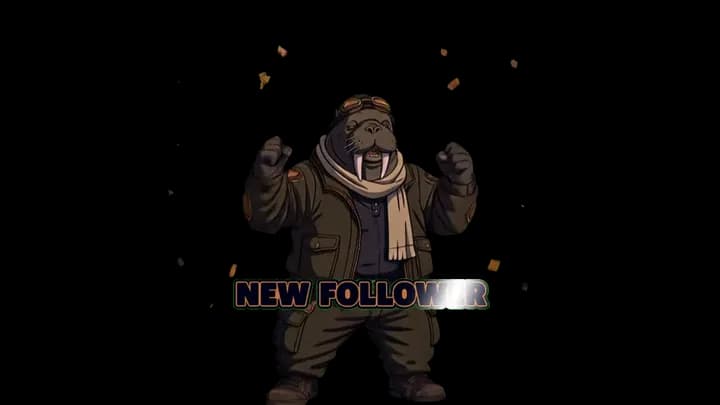
Keep the same style system across follower, subscriber, and donation alerts, including animated logo or image alerts.
Build once, generate variants, and export an entire alert set ready for OBS.
“I used to spend hours in After Effects for one alert. AlertForge gave me a full branded pack in 10 minutes. My chat noticed immediately.”
“The transparent WebM export is a game changer. No more chroma key issues, no green screen artifacts. Just drag into OBS and go.”
“I animate my channel logo as the follower alert now. It looks so professional that viewers ask if I hired a designer. Nope, just AlertForge.”
10k+
Alerts Created
2k+
Streamers
4.8/5
User Rating
<5 min
Avg. Creation Time
Step 1
Choose a style preset and write a prompt direction for the motion.
Step 2
Set font, color, and timing so your alerts match your stream personality.
Step 3
Download transparent WebM files or use the hosted overlay URL in OBS.
Viral clips happen when your stream feels distinct. Use style-driven alert packs to make your highlights instantly recognizable.
Build your first template now, animate your logo or image if needed, export your alert set, and use it in tonight’s stream.
AlertForge creates alerts that work everywhere. Export transparent WebM files or use hosted overlay URLs compatible with any streaming setup.
Follower, subscriber, donation, raid, and bits alerts designed for Twitch streamers.
Custom alerts for YouTube Live including new member, super chat, and subscriber notifications.
Stand out on Kick with animated alerts that match your channel branding.
Professional alerts for Facebook Gaming streams using OBS Browser Source.
Direct integration with OBS Studio via hosted overlay URLs or transparent WebM imports.
Upload your custom AlertForge WebM files as alert media in Streamlabs or StreamElements.
| Feature | AlertForge | Template Sites | DIY (After Effects) |
|---|---|---|---|
| AI-animated motion | Yes | No | Manual |
| Custom logo animation | Yes | No | Manual |
| Transparent WebM export | Yes | Some | Yes |
| Time to create | Minutes | Minutes | Hours |
| Design skill needed | None | None | Advanced |
| Full alert pack from 1 template | Yes | No | No |
Yes. Use either overlay URL mode or transparent WebM download mode.
Yes. Build one template and export a full set for follow, sub, and donation alerts.
No. AlertForge is made for fast no-edit workflows for stream creators.
Yes. Alert sound effects are downloadable and can be used in your stream stack.
Yes. Create and export Twitch alerts for free. Premium credits are available for AI video generation and bulk alert packs.
Transparent WebM files with alpha channel for OBS Browser Source overlays. You can also use hosted overlay URLs directly in OBS.
Yes. Upload any PNG image or logo and AlertForge will animate it as a stream alert with AI motion and transparent background.
Yes. AlertForge exports transparent WebM files and hosted overlay URLs that work with any streaming platform through OBS, including YouTube Live, Kick, Facebook Gaming, and Twitch.
StreamElements and Streamlabs provide alert widget overlays. AlertForge is an alert creation tool — you design and animate unique alert visuals with AI, then use them in any alert widget system including StreamElements and Streamlabs.
Yes. Export your alerts as transparent WebM files and upload them as custom alert media in StreamElements or Streamlabs.
AI-generated alerts use motion synthesis to create unique animations from your prompt and style direction. Template alerts use pre-made designs that many other streamers also use.